TL;DR: NVIDIA is officially retiring the classic Control Panel in favor of the new, unified NVIDIA App. Don’t panic — your settings aren’t disappearing; they’ve just moved to a more modern home.
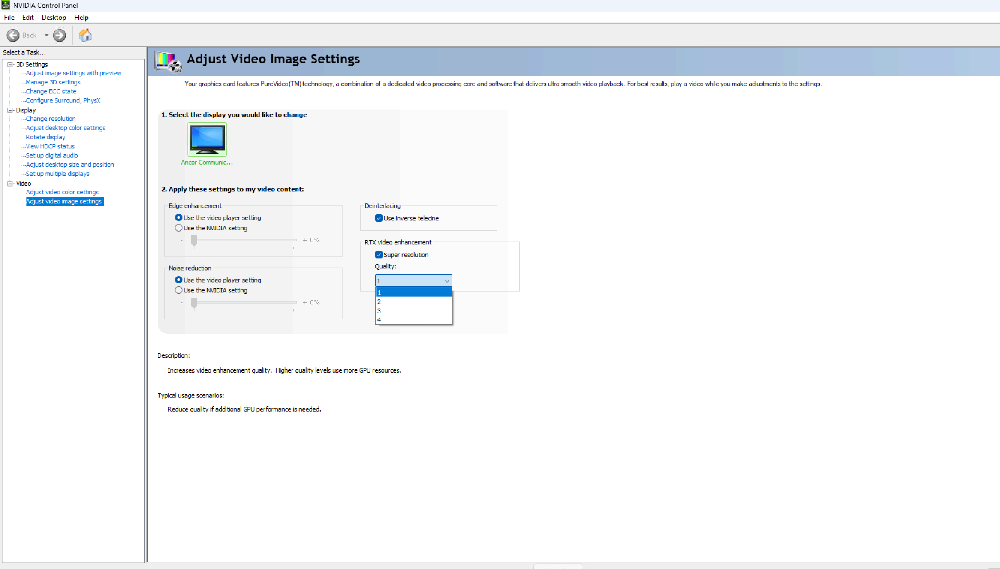
If you’ve been building PCs or gaming on NVIDIA hardware for a while, you’ve definitely spent some time navigating the grey, utilitarian menus of the NVIDIA Control Panel. For two decades, it has been the go-to tool for tweaking 3D settings, managing multi-monitor setups, and adjusting display resolutions.
But as the saying goes, all good things must come to an end.
NVIDIA has officially announced that the classic Control Panel is retiring for all GeForce Game Ready and Studio Driver users. Here’s everything you need to know about this transition — and what it means for your gaming rig.
What’s Changing?
NVIDIA has been working on a unified successor — simply called the NVIDIA App — for the past couple of years. The goal? To consolidate the old Control Panel and GeForce Experience into one sleek, modern interface.
With the latest driver updates, NVIDIA has confirmed that all actively supported features from the old Control Panel have now been successfully migrated to the new app.
Key Takeaways
- Maintenance Mode: The classic Control Panel isn’t being removed overnight. It is entering “maintenance mode,” meaning no new features will be added, but it will remain available on systems where it is already installed.
- Clean Installs: If you perform a clean installation of NVIDIA drivers, the old Control Panel will be removed automatically.
- Still Available: For users who still prefer the classic interface, the NVIDIA Control Panel will continue to be available as a download through the Microsoft Store.
- RTX PRO Users: If you’re using NVIDIA RTX PRO hardware, the classic Control Panel will continue to receive support until all professional-grade features are fully migrated.
Why the Switch to the NVIDIA App?
Let’s be honest — while the classic NVIDIA Control Panel was reliable, it was definitely starting to show its age. The new NVIDIA App offers a much smoother, streamlined “one-stop shop” experience.
- Unified Driver Updates: Manage your Game Ready and Studio Drivers from a single interface.
- Better Organization: Settings that were once buried deep inside multiple submenus are now easier to find and manage.
- No Mandatory Login: Unlike the older GeForce Experience, the new NVIDIA App doesn’t force users to create an account to access essential features.
- Additional Features: Access GPU monitoring, overclocking controls, DLSS settings, and performance overlays in one place.
Do You Need to Do Anything?
For most users, not really. The next time you update your NVIDIA drivers, you may notice some features shifting over to the NVIDIA App automatically. If you haven’t tried the app yet, now is the perfect time to get familiar with it.
It’s faster, cleaner, and gives you easier access to the settings you actually use. While power users can continue using the classic layout for now, it’s worth getting used to the new interface as it represents the future of NVIDIA software.
Ready to Upgrade Your Experience?
Whether you’re looking to upgrade to the latest RTX 50 Series graphics card to take full advantage of NVIDIA’s newest software features, or you simply want advice on optimising your current gaming setup, we’re here to help.
Visit xpert.mt in Malta to speak with our team, or browse our latest selection of GPUs and pre-built gaming PCs online.


